
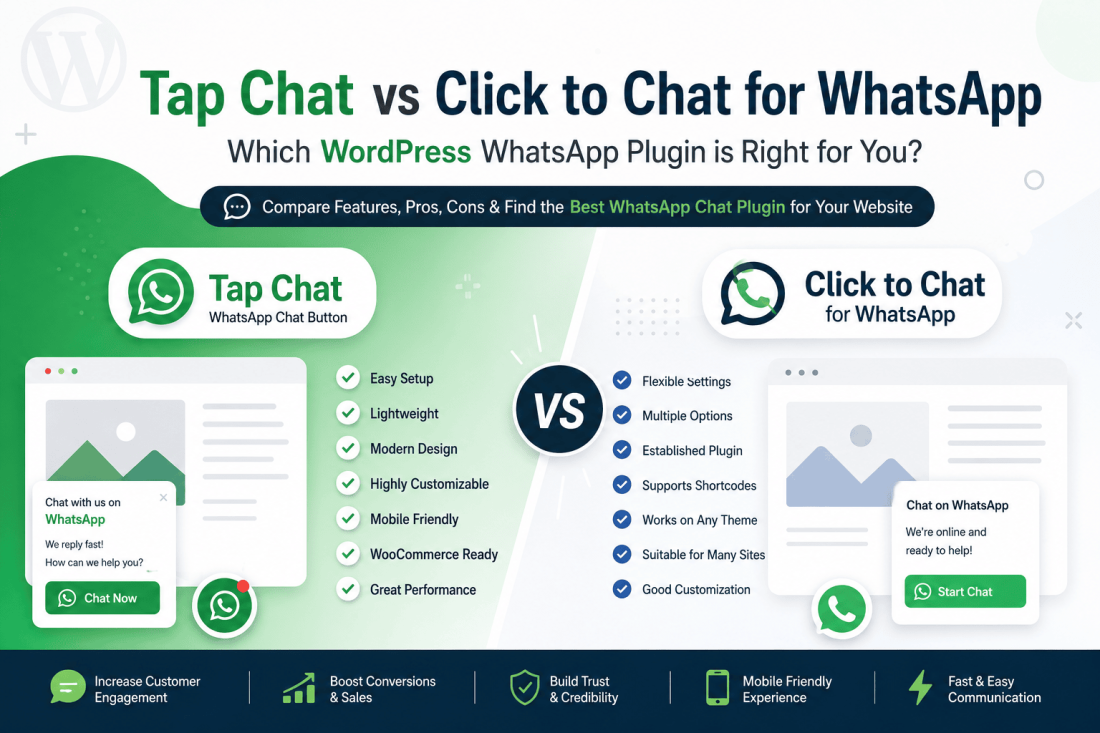
If you’re searching for the best WhatsApp chat plugin for WordPress, you’ve likely found both Tap Chat and Click to Chat for WhatsApp. Both plugins help businesses connect with website visitors instantly through WhatsApp, making it easier to answer questions, generate leads, and improve customer support. Additionally, Click to Chat – HoliThemes offers unique features that can enhance user interaction.
But which plugin is the better fit for your WordPress website?
In this detailed comparison, we’ll explore the strengths, limitations, and key differences between Tap Chat and Click to Chat for WhatsApp. Whether you run a WooCommerce store, agency, small business, or portfolio website, this guide will help you choose the right solution.
Why Choose Click to Chat – HoliThemes?
Why Add a WhatsApp Chat Button to WordPress?
More than two billion people use WhatsApp worldwide, making it one of the most trusted communication platforms available. Instead of asking visitors to fill out lengthy contact forms or wait for email responses, a WhatsApp button allows them to start a conversation instantly.
Benefits of adding a WhatsApp chat button include:
- Improve customer engagement
- Increase sales and conversions
- Answer pre-purchase questions quickly
- Build trust with visitors
- Reduce abandoned shopping carts
- Offer real-time customer support
- Create a more personal communication channel
For many businesses, a WhatsApp chat button has become an essential part of the customer journey.
Plugin Overview
Tap Chat
Tap Chat is a modern WordPress plugin designed to help businesses add a beautiful, customizable WhatsApp chat button to their websites with minimal effort.
The plugin focuses on:
- Easy setup
- Fast performance
- Modern design
- Clean user experience
- Mobile responsiveness
- WordPress compatibility
It’s suitable for businesses that want a professional-looking chat button without unnecessary complexity.
Click to Chat for WhatsApp
Click to Chat for WhatsApp is another well-known WordPress plugin that enables visitors to start WhatsApp conversations directly from a website.
It offers a range of customization options and has been available in the WordPress ecosystem for several years, making it a familiar choice for many users.
Feature Comparison
| Feature | Tap Chat | Click to Chat for WhatsApp |
|---|---|---|
| Floating WhatsApp button | ✅ | ✅ |
| Mobile support | ✅ | ✅ |
| Desktop support | ✅ | ✅ |
| Easy installation | ✅ | ✅ |
| Beginner-friendly | ✅ | Moderate |
| Lightweight interface | ✅ | Varies depending on configuration |
| Modern UI | ✅ | Traditional |
| WordPress integration | ✅ | ✅ |
| WooCommerce compatibility | ✅ | ✅ |
| Button customization | ✅ | ✅ |
Both plugins cover the essential functionality expected from a WordPress WhatsApp plugin, but they take different approaches to usability and customization.
Tap Chat Pros
1. Quick and Simple Setup
One of Tap Chat’s biggest strengths is its ease of use.
After installation, configuring your WhatsApp number and displaying the chat button takes only a few minutes. No coding knowledge is required, making it accessible to beginners and experienced users alike.
2. Clean, Modern Design
Website visitors appreciate interfaces that feel polished and intuitive.
Tap Chat emphasizes a modern appearance that integrates naturally with most WordPress themes. Rather than distracting users, it encourages interaction while maintaining a professional look.
3. Lightweight Performance
Website speed is a critical ranking factor and directly affects user experience.
Tap Chat is designed with performance in mind, helping minimize unnecessary overhead so your pages remain responsive.
Fast-loading websites not only improve visitor satisfaction but can also contribute to better search engine performance.
4. User-Friendly Experience
The plugin focuses on making WhatsApp communication simple.
Instead of overwhelming users with complicated settings, Tap Chat offers a streamlined experience that lets website owners configure their chat button quickly and confidently.
5. Great Choice for WooCommerce
If you manage an online store, many customers have questions before making a purchase.
A WhatsApp button allows shoppers to ask about:
- Product specifications
- Shipping options
- Delivery times
- Payment methods
- Discounts
- Stock availability
Providing quick answers often increases customer confidence and improves conversion rates.
Tap Chat Cons
Every plugin has trade-offs.
For businesses with highly specialized enterprise workflows or custom CRM requirements, additional integrations or external tools may be needed.
However, for most small and medium-sized businesses, Tap Chat provides an excellent balance between simplicity, usability, and functionality.
Click to Chat for WhatsApp Pros
Flexible Configuration
Click to Chat for WhatsApp provides various configuration options, allowing users to tailor the chat experience to different website needs.
Established Plugin
As a plugin that has been available for some time, it has built familiarity among WordPress users and offers a mature feature set.
Supports Different Website Types
The plugin can be used on blogs, business websites, service pages, and WooCommerce stores.
Click to Chat for WhatsApp Cons
Depending on your preferences and website requirements, some users may find:
- More settings to configure than they need
- A steeper learning curve for beginners
- An interface that may feel less streamlined compared to plugins focused on simplicity
- Configuration options that require more time to explore
These points are not necessarily drawbacks for advanced users, but beginners often prefer a faster setup process.
Performance Matters
When selecting any WordPress plugin, performance should always be a consideration.
Heavy plugins can increase page load times, which affects:
- User experience
- SEO
- Conversion rates
- Mobile usability
A lightweight WhatsApp plugin helps maintain fast-loading pages while still providing visitors with an easy way to contact your business.
Which Plugin Is Better for Beginners?
If you’ve never installed a WhatsApp plugin before, ease of use matters.
Tap Chat is designed to help users get up and running quickly with a straightforward setup process and a clean interface.
Users who enjoy exploring extensive configuration options may appreciate the flexibility offered by Click to Chat for WhatsApp, while those who value simplicity often prefer a more streamlined experience.
SEO Benefits of a WhatsApp Chat Button
Although a WhatsApp plugin doesn’t directly improve search engine rankings, it can positively influence user engagement metrics.
Benefits include:
- Longer visitor sessions
- Higher interaction rates
- More customer inquiries
- Lower bounce rates
- Improved trust
- Increased conversions
Combined with quality content and good technical SEO, a WhatsApp chat button can enhance the overall user experience on your website.
Who Should Choose Tap Chat?
Tap Chat is an excellent option for:
- WooCommerce stores
- Small businesses
- Digital agencies
- Consultants
- Freelancers
- Healthcare providers
- Restaurants
- Local service businesses
- Educational websites
- Real estate agencies
If your goal is to make communication fast and accessible without adding unnecessary complexity, Tap Chat is a strong choice.
Best Practices for Using a WhatsApp Chat Button
To get the most value from your plugin:
- Keep the button visible on every page.
- Use a welcoming message to encourage conversations.
- Respond to inquiries promptly.
- Ensure the button doesn’t cover important content.
- Test the chat experience on desktop and mobile devices.
- Match the button styling to your website’s branding.
A responsive and well-placed chat button can significantly improve visitor engagement.
Final Verdict
Both Tap Chat and Click to Chat for WhatsApp are capable WordPress plugins that help businesses communicate with visitors through WhatsApp.
If your priority is a feature-rich plugin with numerous configuration options, Click to Chat for WhatsApp is a solid option for users who enjoy fine-tuning their setup.
If you prefer a solution that emphasizes ease of use, modern design, lightweight performance, and a streamlined user experience, Tap Chat stands out as an excellent choice for businesses looking to provide fast, professional communication with minimal setup.
Ultimately, the best WhatsApp plugin is the one that matches your workflow and business goals. For many WordPress site owners, Tap Chat delivers the right combination of simplicity, performance, and customization—making it an effective way to turn website visitors into meaningful conversations and long-term customers.